Weddings
Switch between weddings
The couple's names at the top of every page say which wedding you are on. Tap them to change to another, and the same page opens for that wedding.
Change the wedding
Tap the couple's names at the top of the page. On a computer they sit at the top of the menu on the left.
The list opens: the weddings still to come first, soonest at the top, then the ones with no date yet, then the ones that are over. The one you are on has a tick.
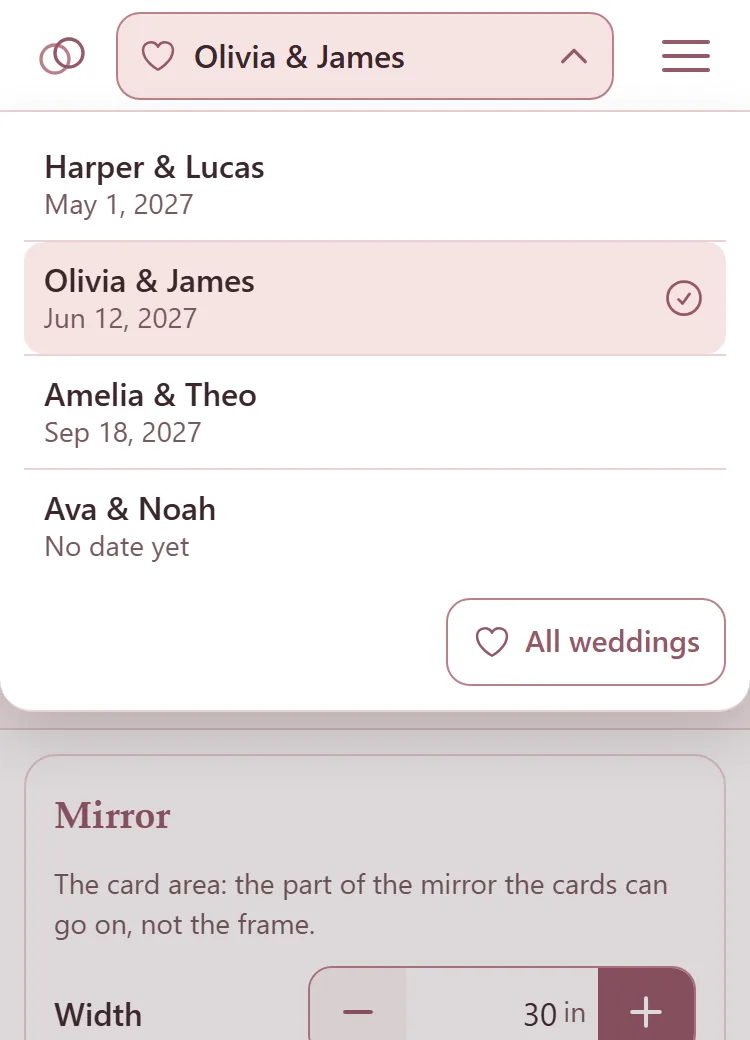
Tap a wedding. You stay on the same page, now showing that wedding.
All weddings at the foot of the list opens the Weddings page.
With seven weddings or more, a Find a wedding box sits at the top of the list. Type part of the couple's names or the date.
On your phone and your computer at once
Each page keeps saving to the wedding it was opened for. Switch weddings on your computer and the page still open on your phone goes on saving to its own wedding, so nothing lands on the wrong one.
The seating chart, the tables, the card design, the place cards, the printing and the Cricut files are each wedding's own. The warehouse and your saved designs are yours for every wedding.