Tables
Bring in the guest names from a spreadsheet
Put first names in column A and last names in column B of an Excel sheet, and NeatlyWed reads the whole list in one go.
Get the sheet ready
- Column A holds the first names and column B the last names. A heading row, like First name and Last name, is noticed and skipped.
- A .csv file works too, and so does a .txt file with one name to a line.
- A third column with a table number puts each name straight at that table.
- A plus-one written as "(+1)" after a name, or as Plus One (Daniel Angle), goes on the card as Daniel Angle +1.
Here is a sample guest list to copy the shape of. The names in it are made up.
Bring it in
Open Tables from the menu.
For a wedding nobody is seated at yet, Set up the tables is open at the top. If it is folded away, press the list button at the top of the page to bring it back.
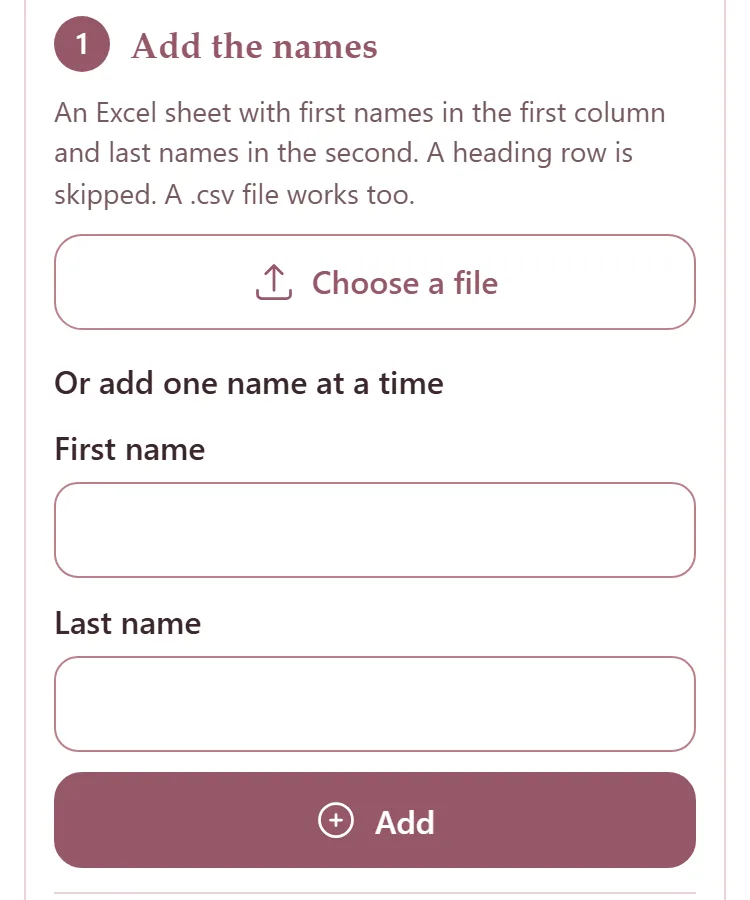
Under Add the names, press Choose a file and pick the sheet.
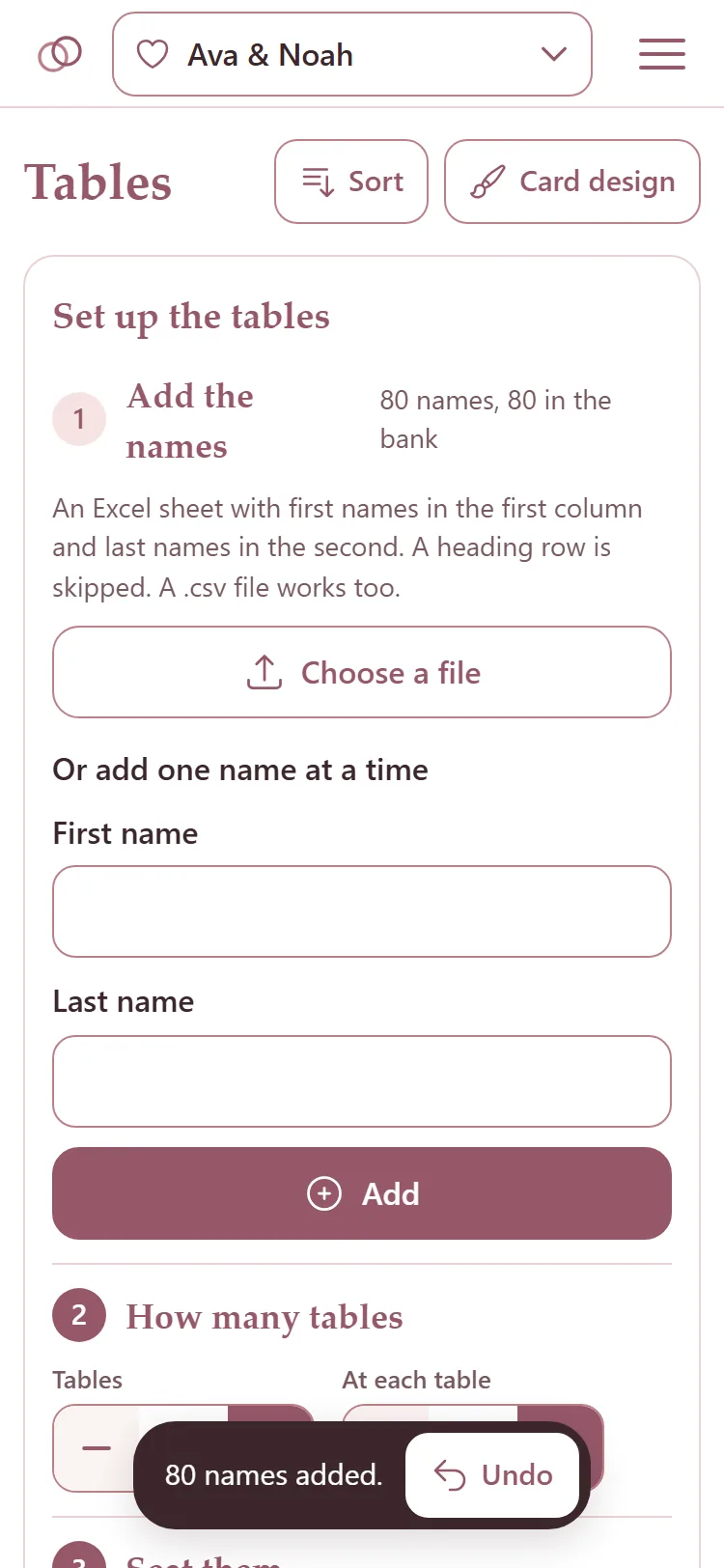
The names go into the Name bank, and the step says how many there are. A bar at the foot says how many were added, with Undo if it was the wrong sheet.
If the page says no names were found, put the first names in the first column and the last names in the second, and try again.
Add one name at a time
Under Or add one name at a time, type the First name and Last name and press Add.
The couple can do this too, from their own link: Share the names with the couple.